Welcome !
At the users of iGO8 all around the world, welcome on board !
You can find on this blog wallpaper pictures, colormaps, POI icons and skins to customize your favorite GPS navigator ...
Leave me all your remarks, questions or suggestions at :
artwork.igo8[@]gmail.com
iphone apple mac

For iGO 8.3.x.x - Gurjon skin 6.10.1p (2009.09.13)
Added or fixed since last post :
****** 6.10.1p - 2009.09.13 ********
1. Adjusted the “Driver alert” signs on the map.
2. Added the file needed to display a “Driver alert” (if old data.zip)
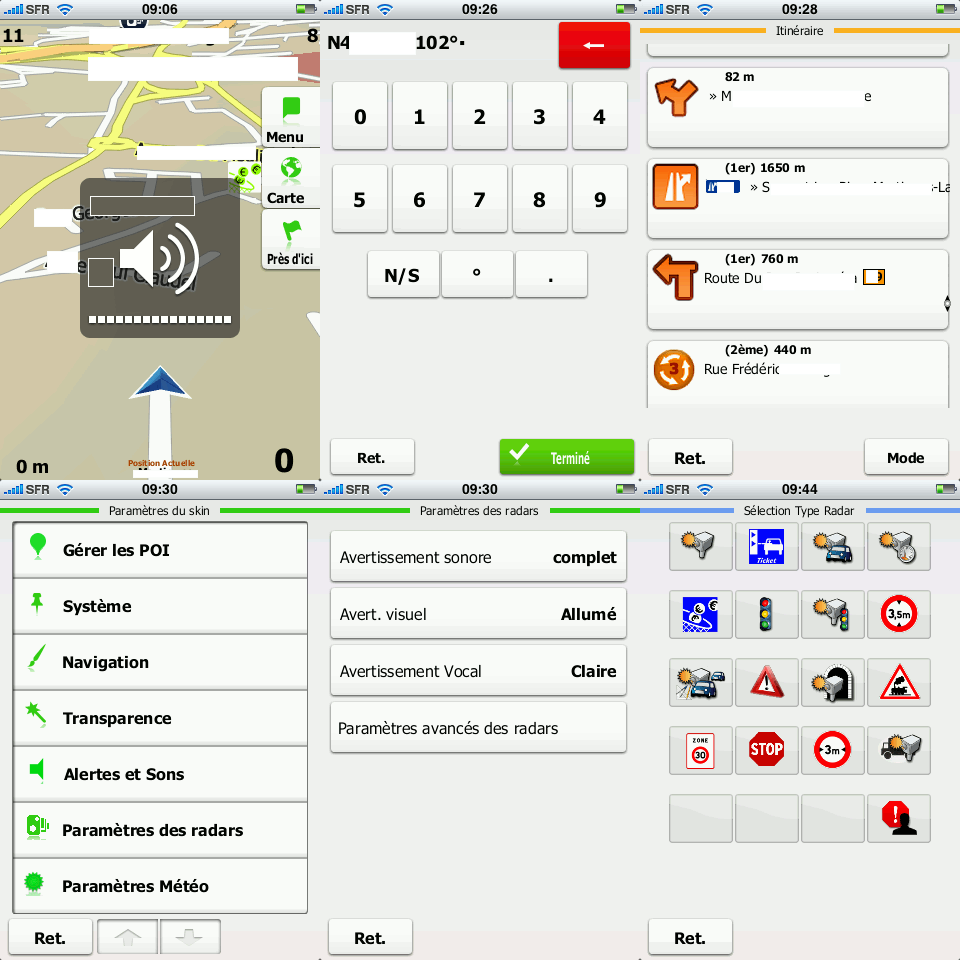
3. Added a test version of the sound settings “Driver alert”. We’ll see to it…
Enjoy
Gurjon skin 6.10.1p full pack !and many thanks to Gurjon for this work ;-)
www.gurjon.com
Download the link and then register
Uploaded.to Premium-Account for 1 Month. - just 5.99 Euro


Skin for iGO Amigo by Sbertaud13 based on Amigo Choup and DJ Amigo skins ...
Compatibility:
Amigo iGO v8.4.2.85182, v8.4.2.93601 and v8.4.2.95590
Compatible resolutions:
480×272, 320×240, 240×320 and 400×240
Updates:
Bug in 320×240 & 400×240 – If display headlines, news does not appear in navigation in the three buttons on the left.
Enjoy
v4.7a EUR !
Download the link and then register
Uploaded.to Premium-Account for 1 Month. - just 5.99 Euro

Compatibility:
iGO My way™ 2009 v1.0.0 on iPhone 3G/3GS
New in this version V2.2 EUR+ :
Coming soon ...
Enjoy Sbertaud13 Skin 2.2 on iPhone !
Many thanks to him for his nice work !
New update of Gurjon skin for iGO 8.3.x.x

For iGO 8.3.x.x - Gurjon skin 6.9.3p (2009.08.25)
Added or fixed since last post :
****** 6.9.3p - 2009.08.25 ********
1. Added volume control (overspeed, return to the allowed speed, switching the sign of allowed speed).
2. Return to the allowed speed, now played once.
3. You can select a sound return to the allowed speed.
4. You can select the launch window.
5. Added in the "fullpack" of color scheme "GJ", and in the skin sounds files.
Enjoy
Gurjon skin 6.9.3p full pack !and many thanks to Gurjon for this work ;-)
www.gurjon.com
Download the link and then register
Uploaded.to Premium-Account for 1 Month. - just 5.99 Euro
 Enjoy the excellent "Ultra Skin" now on iGO Amigo !
Introduction:
- The Amigo Ultra Skin adds essential extra functions to iGO Amigo to improve route planning and navigation whilst still retaining the original simple and easy to use interface.
- Supported resolutions are 480x272, 320x240, 240x320, 640x480 and 480x640 only.
Installation Instructions:
- Backup the existing "data.gro" file in the "amigo" folder.
- Backup and then delete all files in the "amigo\save" folder. This is essential to avoid conflicts with any previous installations.
- Extract the Amigo Ultra Skin "data.gro" file from the download and copy it to the "amigo" folder overwriting the existing file.
Latest Version 1.0.6 Modifications:
- Fully compatible with the following versions:
- iGO Amigo Version 8.4.2.81333 dated March 12th 2009
- iGO Amigo Version 8.4.2.85182 dated April 8th 2009
- Fixed: Added night mode background bitmaps for the TMC detail screens so that the TMC detail text is now visible.
Enjoy
Ultra skin v1.0.1
2
by Linknet for iGO Amigo !
Many thanks to him for this nice skin ...
Download the link and then register
Uploaded.to Premium-Account for 1 Month. - just 5.99 Euro
NEW !
Enjoy the excellent "Ultra Skin" now on iGO Amigo !

Introduction:
- The Amigo Ultra Skin adds essential extra functions to iGO Amigo to improve route planning and navigation whilst still retaining the original simple and easy to use interface.
- Supported resolutions are 480x272, 320x240, 240x320, 640x480 and 480x640 only.
Installation Instructions:
- Backup the existing "data.gro" file in the "amigo" folder.
- Backup and then delete all files in the "amigo\save" folder. This is essential to avoid conflicts with any previous installations.
- Extract the Amigo Ultra Skin "data.gro" file from the download and copy it to the "amigo" folder overwriting the existing file.
Latest Version 1.0.6 Modifications:
- Fully compatible with the following versions:
- iGO Amigo Version 8.4.2.81333 dated March 12th 2009
- iGO Amigo Version 8.4.2.85182 dated April 8th 2009
- Fixed: After selecting a location from the "Destination ► Find Address" or the "Destination ► Find Places" menus the "More Options ► Places Around Destination" search would incorrectly find places around the previous destination. The search now correctly returns places around the newly selected destination.
Enjoy Ultra skin v1.0.6 by Linknet for iGO Amigo !Many thanks to him for this nice skin ...Download the link and then register
Uploaded.to Premium-Account for 1 Month. - just 5.99 Euro
NEW !
Enjoy the excellent "Ultra Skin" now on iGO Amigo !
Introduction:
- The Amigo Ultra Skin adds essential extra functions to iGO Amigo to improve route planning and navigation whilst still retaining the original simple and easy to use interface.
- Supported resolutions are 480x272, 320x240, 240x320, 640x480 and 480x640 only.
Installation Instructions:
- Backup the existing "data.gro" file in the "amigo" folder.
- Backup and then delete all files in the "amigo\save" folder. This is essential to avoid conflicts with any previous installations.
- Extract the Amigo Ultra Skin "data.gro" file from the download and copy it to the "amigo" folder overwriting the existing file.
Latest Version 1.0.4 Modifications:
- Fully compatible with the following versions:
- iGO Amigo Version 8.4.2.81333 dated March 12th 2009
- iGO Amigo Version 8.4.2.85182 dated April 8th 2009
Enjoy Ultra skin v1.0.4 by Linknet for iGO Amigo !Many thanks to him for this nice skin ...Download the link and then register
Uploaded.to Premium-Account for 1 Month. - just 5.99 Euro


DJ.Amigo skin by Gurjon and Dvs1 for iGO Amigo.
Resolutions
320x240, 240x320, 480x272, 400x240
Enjoy
DJ.Amigo Skin v3.0 !
(23.06.2009)
The main difference of v.3.0 that you need to install "MortScript" (PDA or PNA).
To use external scripts "amigo.exe" could be anywhere, but directory "utility" should be beside.
Changes:
1. Revamped button "panic". Now works with "MortScript".
2. Rewritten map changer.
2a. Copy "Teleatlas" maps to the "map" directory.
2b. Copy "NAVTEQ" maps to the "map_nt" directory.
2c. Copy the other maps to the "map_ot" directory.
3.Since Amigo does not work with power management (backlight, volume ...)
on most devices here is try to resolve this problem by direct write
the to registry.
Content of "utility" directory is a part of "DJ.Amigo v.3.0" skin.
File "dj_keys.ini" in this directory must fit for your device and
your needs. You can control all registy's keysr at the time of launch,
exit and switching day/night mode.
Installed Mortscript required.
NB! Path entries in sys.txt with "%SDCARD%" variable not supported.
Please use full real path to memory card, like "\Storage Card\...".
Description of file "dj_keys.ini".
In this file You can write your own registry keys to manage.
In section [startexit] listed keys will be stored before amigo
starts (with DJ.Amigo skin) and keys will be restored on exit.
By adding optional 'start_value' and/or 'exit_value' fields You can
manually set which values will be set during amigo run and on exit.
In section [daynight] listed keys will be modified when day/night
mode switched.
Also these values will be set (depending of time for day or night)
when amigo starts.
Either sections can be enabled/disabled in the DJ settings menu.
4. New GPS port settings.
5. Technical repair.
Enjoy it !
New update of Gurjon skin for iGO 8.3.x.x
For iGO 8.3.x.x - Gurjon skin 6.9p (2009.06.30)
Added or fixed since last post :
****** 6.8p - 6.9p 2009.06.30 ********
1. Add support 3D cars.
2. Support half-patch "Map Changer"
Copy files in to directories:
2a. Teleatlas -> content/map
2b. navteq -> content/map_nt
2c. Other -> content/map_ot
2d. User -> content/map_us
3. Change signpost "Standart".
4. Technical repairs.
****** 6.7p 2009.06.15 ********
1. Support half-patch "The maximum speed on the last kilometer."
2. Support themechanger with manual change of the weather.
3. Support half-patch "advanced radar". Pose instead half-patch Spidkam.
4. The new configuration of "What to display on the top line." Toggle "following the street" and "destination". The same goes a long press on the top bar.
5. When switching on/off offroad from now a dialogue with three buttons: "replan", "delete", "Cancel". New (first) button, when pressed, making the route from the current status of GPS to the old end point of the line, which moved.
6. New button in the short menu - "Color Profiles".
7. Added the sound settings at startup and exit from the iGO. Name of sound file is written to the switch in the settings.
8. Technical repairs.
****** 6.6p 2009.05.18 ********
1. Corrections to the exact height of tripkomp (become dependent on the settings).
2. Instead, check box on the left at the bottom of the cab - a vehicle icon. Click it - quick menu change the vehicle, including offroad (aircraft).
3. Another type of signpost - the white arrow downward.
4. Sound for changes of speed limit.
5. Purpose of Action for the quick buttons adapted from the switch to the list. Also, long pressing the specific button you can quickly change it.
6. Dial the remaining route while loading iGO.
7. Technical repairs.
Enjoy
Gurjon skin 6.9p full pack !and many thanks to Gurjon for this work ;-)
www.gurjon.com
Download the link and then register
Uploaded.to Premium-Account for 1 Month. - just 5.99 Euro
artwork-iGO8.blogspot.com is in no way affiliated with NavNGo Inc.
All trademarks and copyrights are the property of their respective owners.
skin skins iGO 8 iGO8 NavNGo NavNGo8 icon icons POI POIs wallpaper wallpapers background backgrounds map maps colormap colormaps voice voices speedcam warning My Way iGO2006 2006 2006+ portrait landscape 240 320 400 480 640 272 TomTom